
Site administrators can control which snapshots templates are available in the Create new snapshot picker on your site. This covers both the templates that ship with Snapshots and the templates that users in your organization have shared with the organization.
Find the controls in the Snapshots admin settings area, on the Snapshot Templates tab.
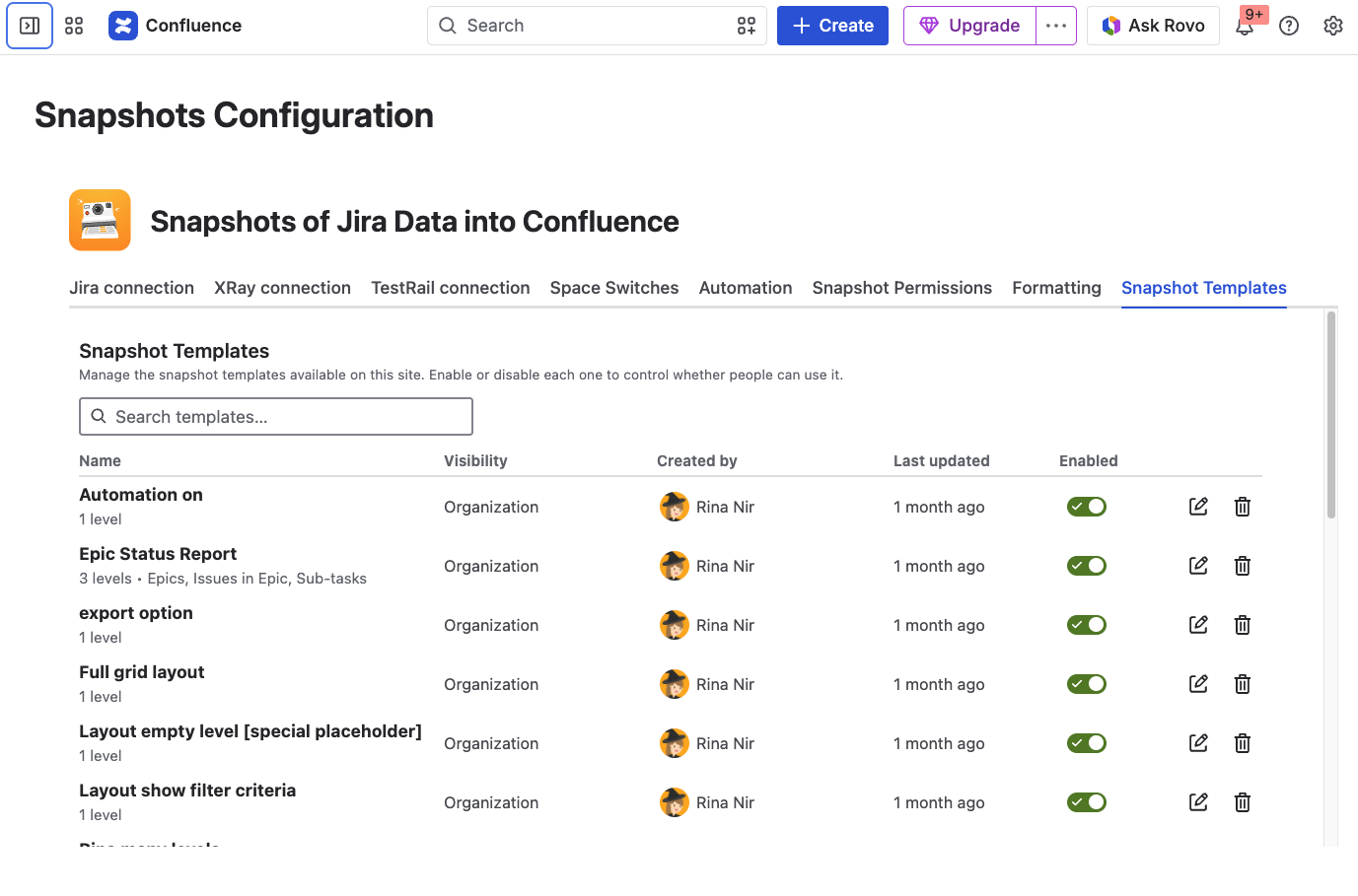
Enabling or disabling templates provided by Snapshots
The tab lists the predefined templates that ship with the app. For each one, you can toggle whether it appears in the Create new snapshot picker for users on your site.
Disable a template if it isn't useful for your organization, or if you want to steer people toward templates you've curated yourself.
For the list of predefined templates and what each is for, see Using snapshots templates.
Disabling templates that users have created
The tab also lists templates that users in your organization have shared with the organization. Disable any that you don't want appearing in the picker for other users.
Disabling a template does not affect snapshots already created from it.
What's next
-
Using snapshots templates. How authors use templates to create new snapshots.
-
Configuring Snapshots admin settings. Other admin settings for Snapshots.