
Snapshots variables let admins define reusable values (like a project key or a fixed version) that authors can reference in their snapshot JQLs. Variables come at two levels:
-
Global variables are defined by a site admin and are available in every space on the site.
-
Space variables are defined by a space admin and are available only in that space. A space variable with the same name as a global variable overrides it locally.
For how authors use variables in their snapshots, see Using snapshots variables.
Defining global variables
Only site admins can define global variables.
In Snapshots admin settings, open the Variables tab.
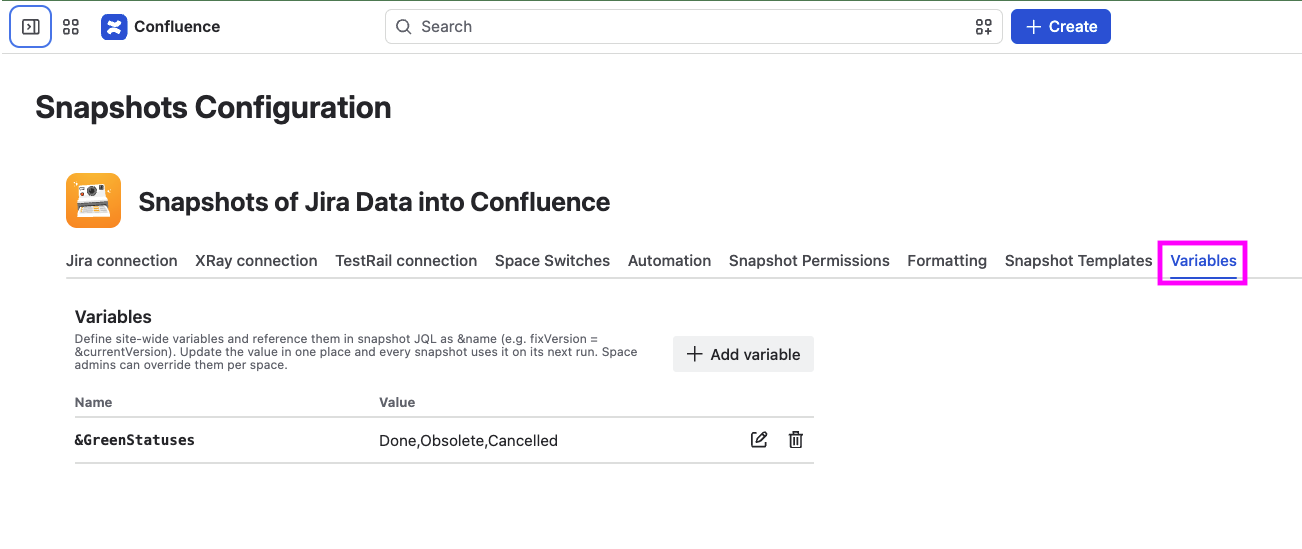
Add a variable by giving it a name and a value, and save. The variable is now available to authors across every space on the site.
Defining space variables
Only space admins can define space variables.
In the space's settings, under App links > Snapshots, open the Variables tab.
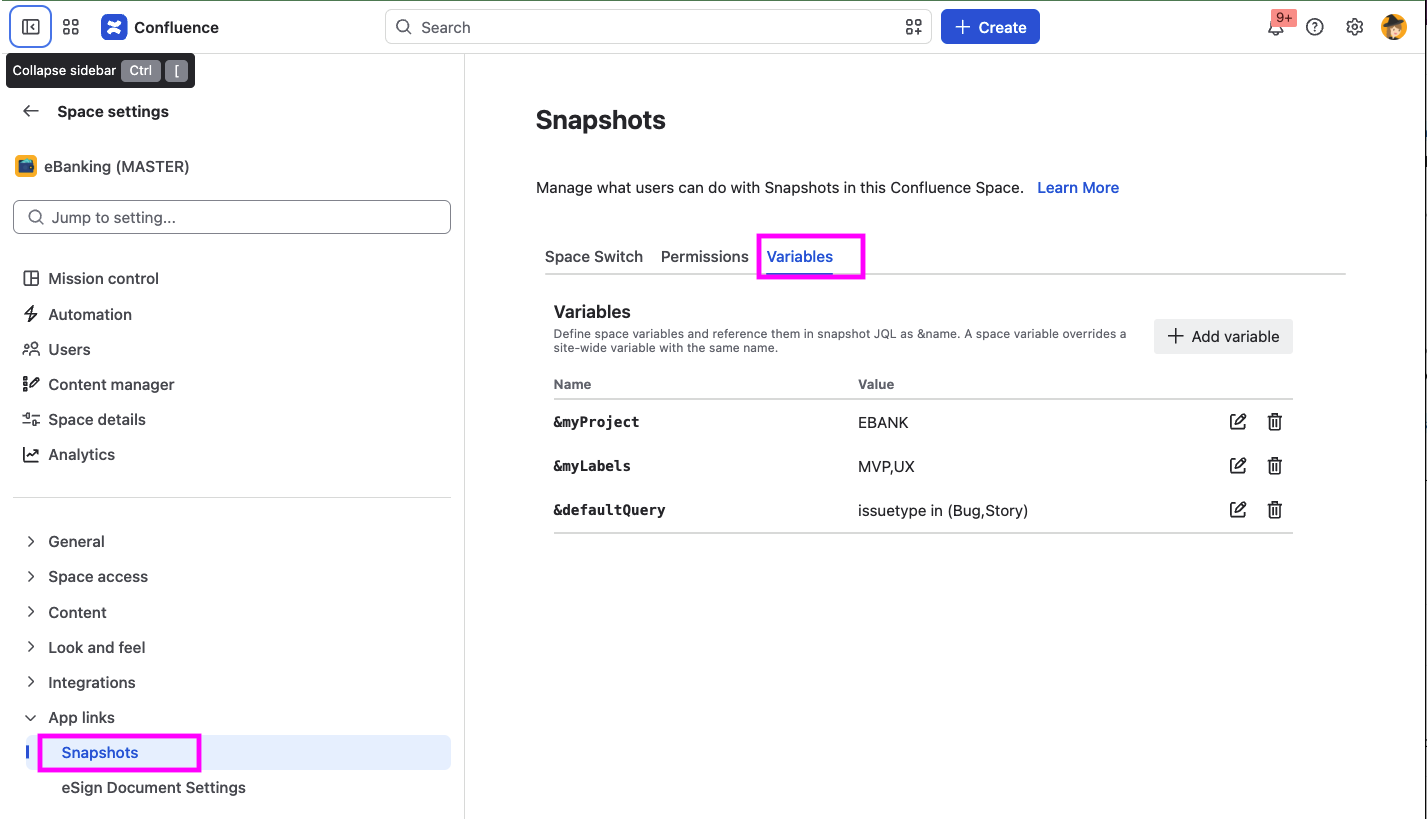
Add a variable with a name and a value. It is available only in this space.
If a space variable and a global variable share the same name, the space variable overrides the global one for snapshots in this space.
When a variable value changes
Changing a variable's value does not update existing snapshots automatically. Snapshots that use the variable show a Variables changed warning, and the new value is picked up the next time each snapshot is taken.
Deleting or renaming a variable has the same effect as changing its value: existing snapshots keep their last resolved value until they are next taken, at which point the current state of the variable applies.
What's next
-
Using snapshots variables. How authors reference variables in their JQL.
-
Configuring Snapshots admin settings. Other admin settings for Snapshots.