
A snapshots variable is a reusable value (like a fixVersion or a project key) that a site admin or space admin has defined. In a snapshot's configuration, you can reference a variable instead of hard-coding the value. When the admin later changes the variable, snapshots that use it pick up the new value the next time they are taken.
Variables save you from editing many snapshots when a common value changes, and they help your organization keep the same value consistent across snapshots.
The fixVersion use case
The strongest example is fixVersion. On any site that produces release documentation, the fix version appears in dozens of JQLs across many pages, and it changes every release. Without variables, rolling over a release means editing every page, every snapshot, every query, with the risk that a mistyped character sends the wrong data to a report.
Define a variable named fixVersion once, reference it in every JQL that filters by version, and the release-time update becomes a single change at the space level. Every snapshot built on it picks up the new value the next time it is taken.
Referencing a variable in JQL
Variables replace values for JQL fields (like fixVersion, project, or assignee). They are not a general text-substitution mechanism.
In any level's Search JQL field, type & where you would normally type the value. A picker opens with the variables available to you. Pick one to insert it.
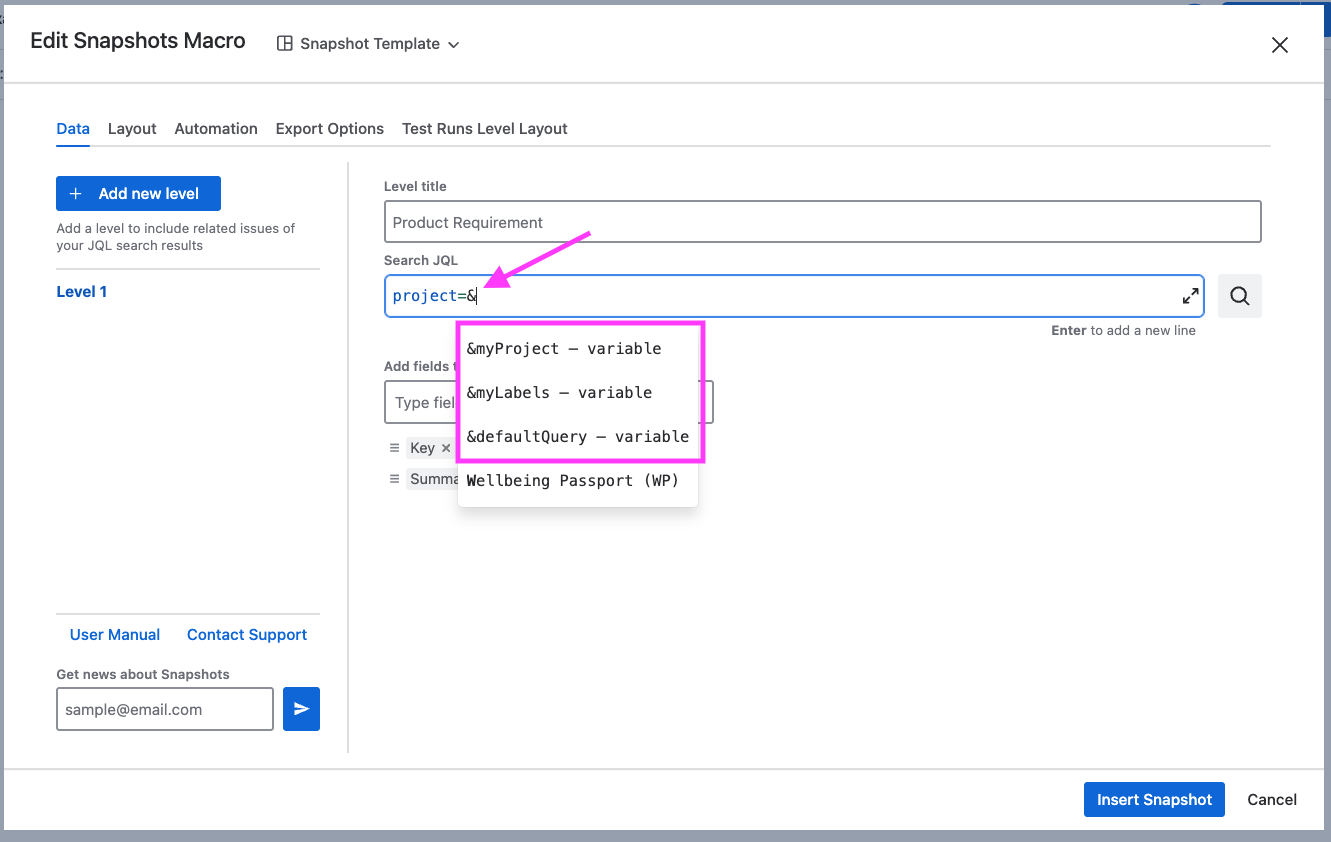
For example, if a variable named fixVersion is set to 2.5.0, the JQL:
fixVersion = &fixVersion
resolves to fixVersion = 2.5.0 when the snapshot is taken.
Referencing a variable in a test run level
Variables also work inside test run levels, not only in a level's Search JQL. Both filters of a test run level can take a variable instead of a hard-coded value: Fixed version and Test environment.
This applies to test run levels from the Xray extension. It is not available for TestRail data.
It matters most at release time. A test report typically filters the tests at one level and the runs at another, both against the same version. With a variable, rolling the release over changes one value centrally rather than two settings on every page.
For example, a space variable named myLatestVersion can filter the tests shown at level 1 and set the Fixed version for the test run level below it. When the admin changes the variable, both pick up the new value the next time the snapshot is taken.
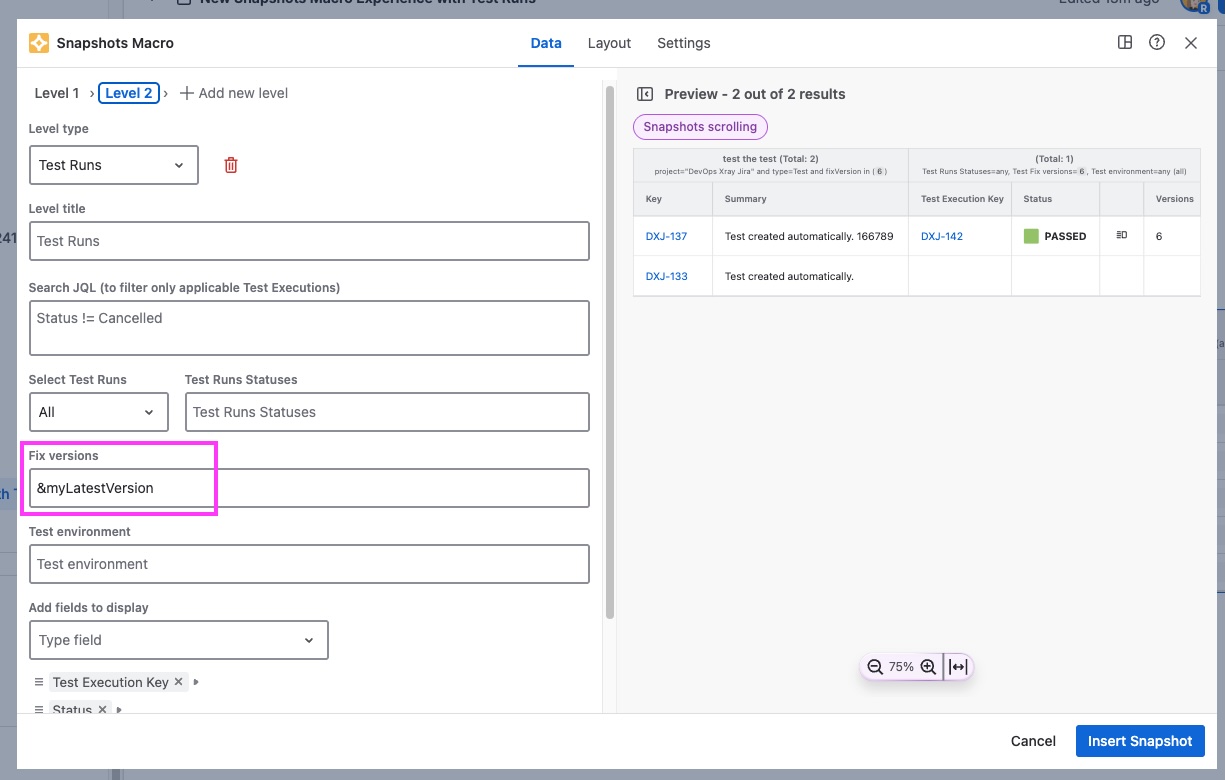
See Snapshots Test Report macro for the other run-selection options.
Where variables come from
Variables come from two places, both defined by an admin:
-
Global variables are available in every space on the site.
-
Space variables are available only in the space where they are defined. A space variable overrides a global variable with the same name.
For setup, see Managing snapshots variables.
What happens when a variable changes
Changing (or deleting or renaming) a variable does not update existing snapshots automatically. When you open a page with an affected snapshot, Snapshots shows a Variables changed warning and recommends taking a new snapshot. When you do, the current value of the variable is used.
Seeing which variables a snapshot uses
Any snapshot that uses one or more variables shows a variables indicator near the snapshot header. It lists the variables in use and the value that was resolved the last time the snapshot was taken.
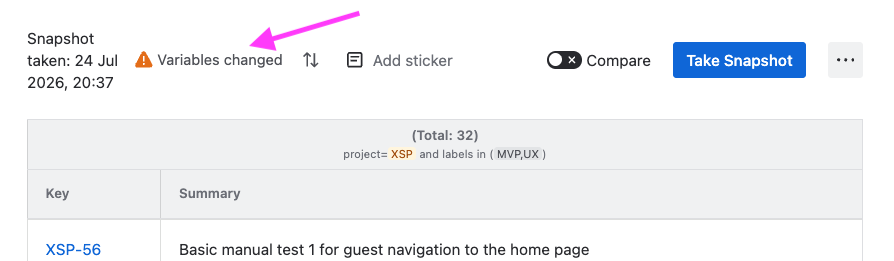
Variables in Confluence page templates
Variables work in snapshots placed inside Confluence page templates. When someone creates a page from a template, the snapshots on that page resolve their variables against the space the page is created in, not the template's home space. The same applies if a page is later moved: the variables resolve against the space the page currently lives in.
This lets you define a template snapshot once and have every page created from it pick up the right value automatically, wherever it lands.
What's next
-
Managing snapshots variables. How admins define global and space variables.
-
Configuring multi-level snapshots. The level model that variables plug into.