
When the Traceability Extension is installed, snapshots gain access to Xray-specific data alongside standard Jira fields. There are two distinct capabilities:
-
Xray fields — additional fields you can add as columns on a level whose issues are tests.
-
Test run levels — a new level type that retrieves test runs (the entries that record what happened when a test was executed). Test runs are internal to Xray and aren't visible through standard Jira queries.
This page covers both. To use either, see Configuring the Xray connection first.
Adding Xray fields to a tests level
When you add a level whose JQL returns test issues (for example issuetype = Test), the field picker for that level includes Xray-specific fields alongside the standard Jira fields. Xray fields are prefixed with XRAY/TEST: in the picker.
Type XRAY in the field search to filter the list.
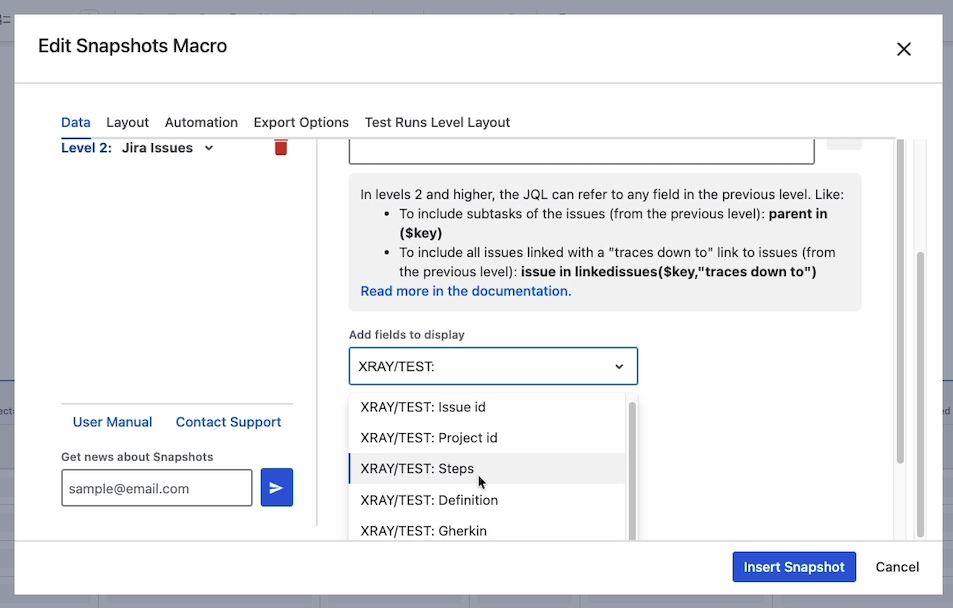
Available Xray fields for test issues
|
Field |
Description |
|---|---|
|
Test Type |
Manual, Cucumber, Generic, etc. |
|
Steps |
Manual test steps. |
|
Definition |
Generic test definition. |
|
Gherkin |
Gherkin definition for Cucumber tests. |
|
Scenario Type |
The Cucumber scenario type. |
|
Preconditions |
Linked test preconditions. |
|
Status |
Latest test status. |
|
Last Modified |
When the test was last modified in Xray. |
|
All Test Runs |
List of all test runs of this test. |
|
Latest Test Run |
The most recent test run. |
|
Issue ID |
Internal Jira ID for the test issue. Rarely useful. |
|
Project ID |
Internal Jira ID for the project. Rarely useful. |
These fields populate only for issues that are Xray test issues. Adding them to a level whose issues are not tests just leaves the cells empty.
To add an Xray field
-
Edit the page and open the macro configuration.
-
Open the level whose issues are tests.
-
In the field picker, search for
XRAY. -
Select the field you want and click to add it.
-
Save with Insert snapshot, republish, and take a new snapshot to populate the new column.
Adding a test run level
A test run level retrieves test runs from Xray — the entries that record what happened on each test execution. Because Jira can't see test runs (they're internal Xray data), test run levels work differently from regular snapshot levels.
Constraints
-
A test run level must be the deepest level of the snapshot. It can't have children, because Xray doesn't have a relationship that goes downward from a test run.
-
The level immediately above must be a tests level — work items whose Xray type is Test.
-
Configuration uses Xray-specific filters, not JQL on the runs themselves.
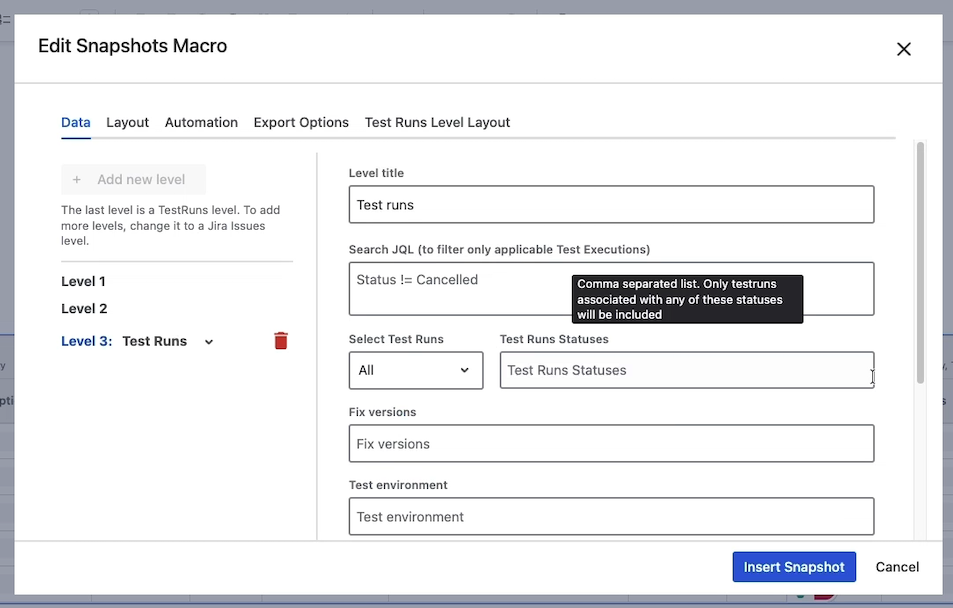
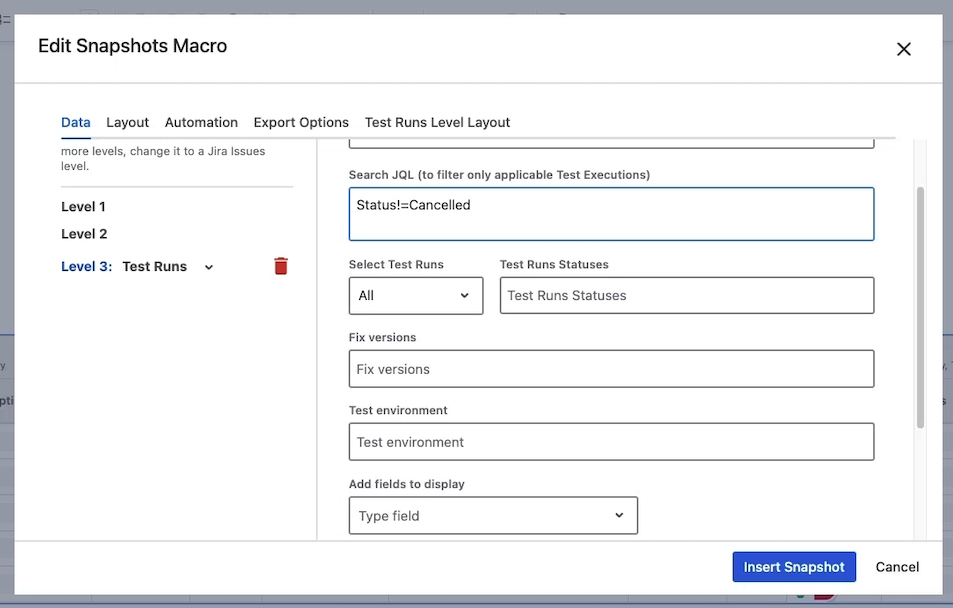
To add a test run level
-
Edit the page and open the macro configuration.
-
Click Add level.
-
Toggle the level type from Jira issues to Test runs. (This toggle is only available when the Traceability Extension is installed.)
-
Configure the level — see options below.
-
Save with Insert snapshot, republish, and take a new snapshot.
Test run level configuration options
|
Option |
What it does |
|---|---|
|
Level title |
Header for the test run column group. For example, "Latest run." |
|
Search JQL (test executions) |
A JQL that filters the test executions the runs come from. Common use: |
|
All runs / Latest only |
Whether to include all matching runs of each test or only the latest. |
|
Status filter |
Comma-separated list of test run statuses to include — for example, |
|
Fixed version |
Limit to runs associated with a specific Jira version. Useful for release-scoped reports. |
|
Test environment |
Limit to runs from a specific Xray test environment — for example, |
|
Fields |
The data columns to display. Common fields include the run status, executor, execution time, defects, evidence, and step results. |
About the Defects field
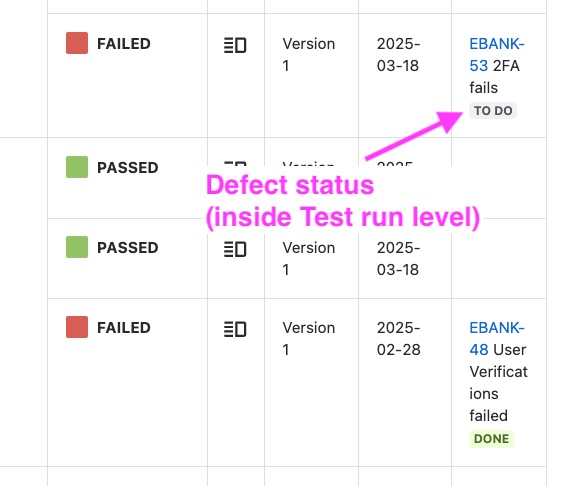
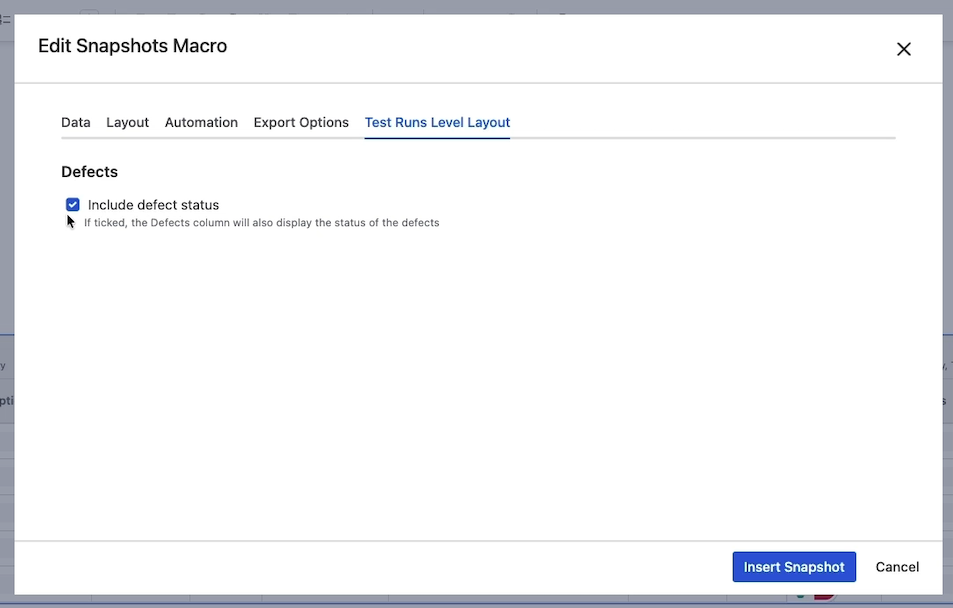
The Defects field shows defects linked to each test run. By default, the defect's Jira status is shown alongside its key. To hide the status, untick Include defect status on the Layout tab of the macro configuration.
What's next
-
Configuring multi-level snapshots — the basics of adding levels (test run levels are a special kind).
-
Snapshots Test Report macro — the dedicated, separate macro for detailed test reports.
-
Configuring the Xray connection — admin-side setup if the integration isn't yet enabled.