
Adding TestRail data to snapshots
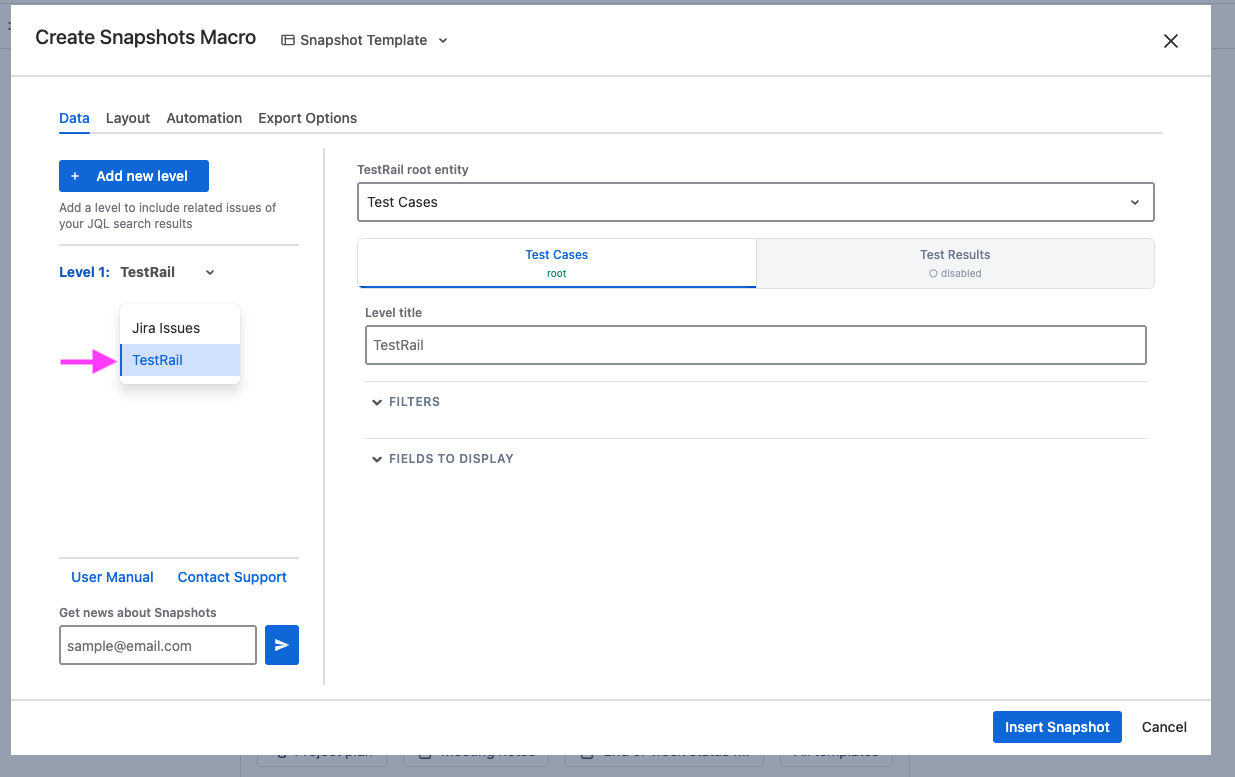
When the TestRail extension is installed, the Snapshots macro gains a TestRail level type. Use it to bring test plans, test runs, test cases, and their results into a snapshot — alongside (or independent of) Jira data.
To use the TestRail level type, see Configuring the TestRail connection first.
Adding a TestRail level
-
Edit the page and open the macro configuration.
-
Click Add level.
-
Set the Level type to TestRail. (This option appears only when the TestRail extension is installed.)
-
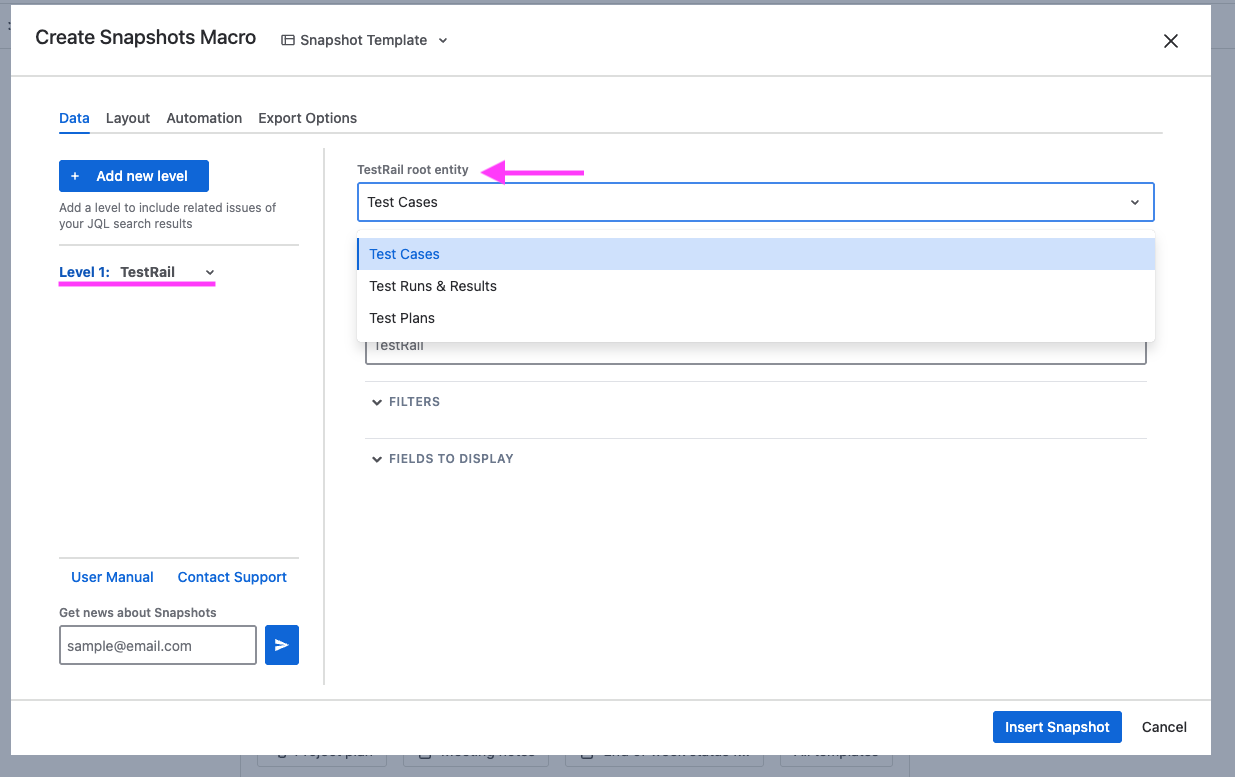
Pick the Entity type for the level — see Root entity types below.
-
Configure filters and fields.
-
Save with Insert snapshot, republish, and take a new snapshot to populate the data.
Root entity types
A TestRail level is rooted on one of three entity types. The root choice determines what data the level retrieves and which sublayers can sit beneath it.
|
Root entity |
Available optional sublayers |
|---|---|
|
Test Cases |
Results |
|
Test Runs & Results |
Tests → Results |
|
Test Plans |
Test Runs → Tests → Results |
Sublayers are disabled by default. Navigate to the sublayer tab to enable it.
Filtering the data
Each entity type has its own set of filters.
|
Entity |
Available filters |
|---|---|
|
Test Plans |
Projects, Milestones, Is Completed (All / Active / Completed), Created after, Created before |
|
Test Runs |
Projects, Created after, Created before |
|
Test Cases |
Projects, Sections |
|
Tests (sublayer) |
Projects, Sections, Cases, Statuses |
|
Results from Test Runs (sublayer) |
Statuses |
|
Results from Test Cases (sublayer) |
Projects, Runs, Statuses |
When a TestRail level sits under a Jira Issues parent, an additional implicit refs filter is applied (Cases and Runs only). The level only returns TestRail entities linked to the Jira issues displayed by the parent.
Selecting fields
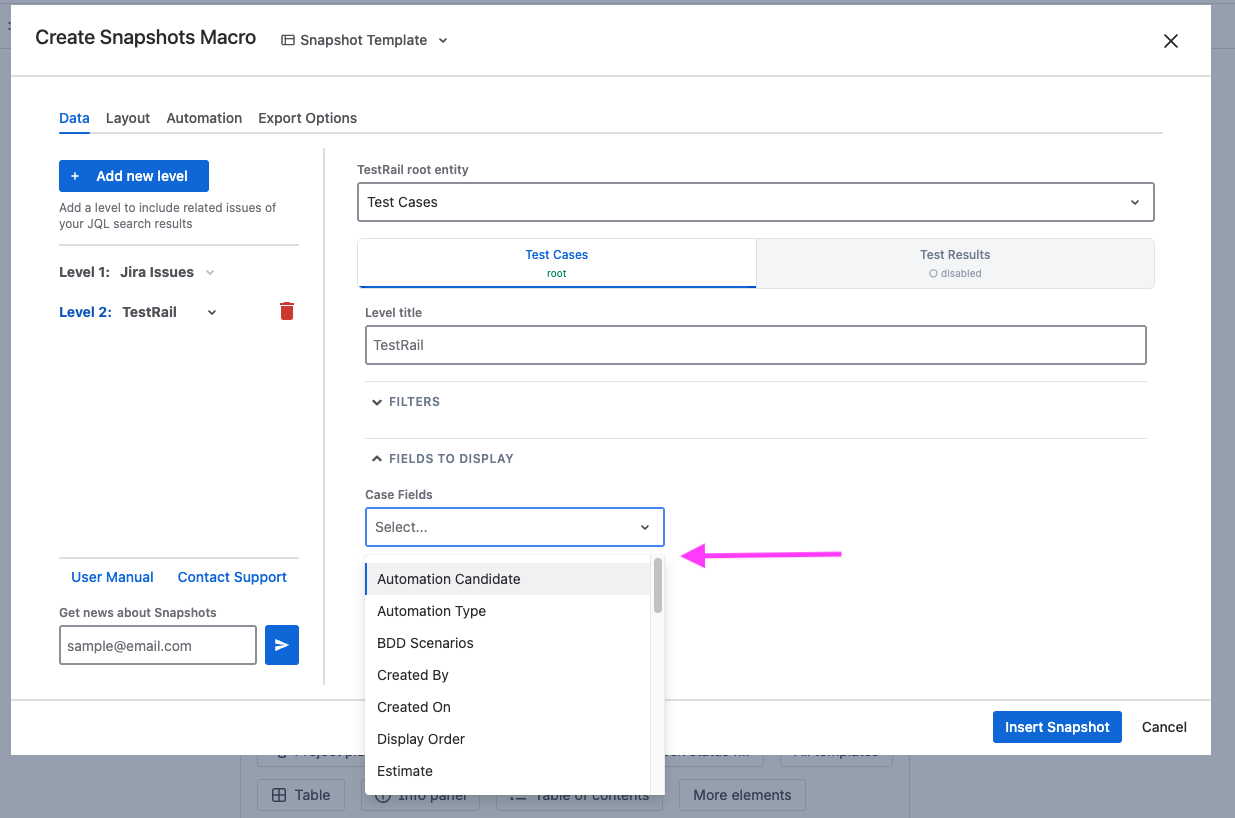
A TestRail level shows a separate field selector for each potential sublayer. You pick whichever ones you want, and the snapshot expands into a corresponding nested structure when saved.
Each field selector functions like the Jira field selector you're already familiar with. Type to search; click to add a field; drag to reorder.
Custom fields
TestRail custom fields are also offered in the field selector for any entity type that supports them. They're discovered from your TestRail site automatically, so any custom field you've defined in TestRail is available to pick alongside the standard fields above.
Combining a TestRail level with Jira
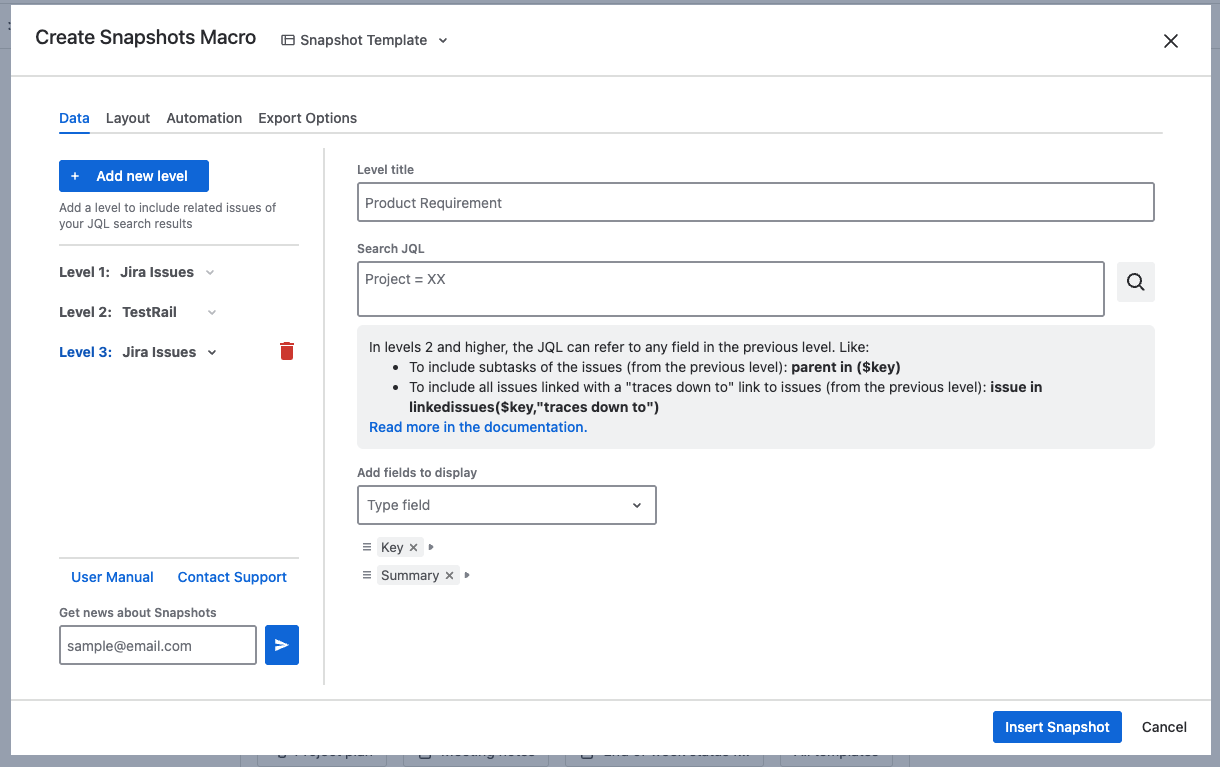
TestRail levels can sit in two positions in a snapshot:
-
Level 1: the TestRail level is at the top of the snapshot.
-
Under a level of Jira Issues: the TestRail level is a child of a Jira Issues level, and only returns TestRail entities linked to the Jira issues the parent displays.
The children of a TestRail level can only be Jira Issues levels (not another TestRail level).
How the linking works
Linking between Jira and TestRail uses TestRail's References field (for Cases and Runs) and Defects field (for Results) — both of which can hold Jira issue keys.
-
Jira → TestRail Cases/Runs. The parent Jira issue's key is used as a
referencesfilter on the TestRail API call. Cases or Runs whosereferencesincludes that key are returned. -
TestRail Cases/Runs → Jira. The TestRail entity's
referencesvalue is parsed into a list of Jira keys, which becomes a JQLkey IN (...)filter on the child Jira level. -
TestRail Results → Jira. Same mechanism, but the result's
defectsfield is used instead ofreferences.
For Jira-to-TestRail cross-linking to work, your TestRail Cases or Runs must have the relevant Jira issue keys recorded in their References field.
Limitations
-
Test Plans can't sit under a Jira Issues parent. TestRail's Plans API doesn't accept a
referencesfilter, so cross-linking from Jira to Plans isn't possible. The Test Plans entity type is hidden when the parent is a Jira Issues level. -
A TestRail level can't have another TestRail level as a child. All allowed sublayers of a TestRail level are preconfigured within a single TestRail level.
Key column rendering
Every TestRail entity, except Results, has a Key field with a one- or two-letter prefix identifying its type, and a hyperlink to TestRail:
|
Entity |
Key format |
Example |
|---|---|---|
|
Test Plans |
|
|
|
Test Runs |
|
|
|
Test Cases |
|
|
|
Tests |
|
|
|
Results |
|
|
What's next
-
Configuring the TestRail connection — admin-side setup if the integration isn't enabled yet.
-
Integration with TestRail — overview of what the integration provides.
-
Configuring multi-level snapshots — the basics of multi-level snapshots; TestRail levels follow the same model with the variations described above.